Tell one, the others know
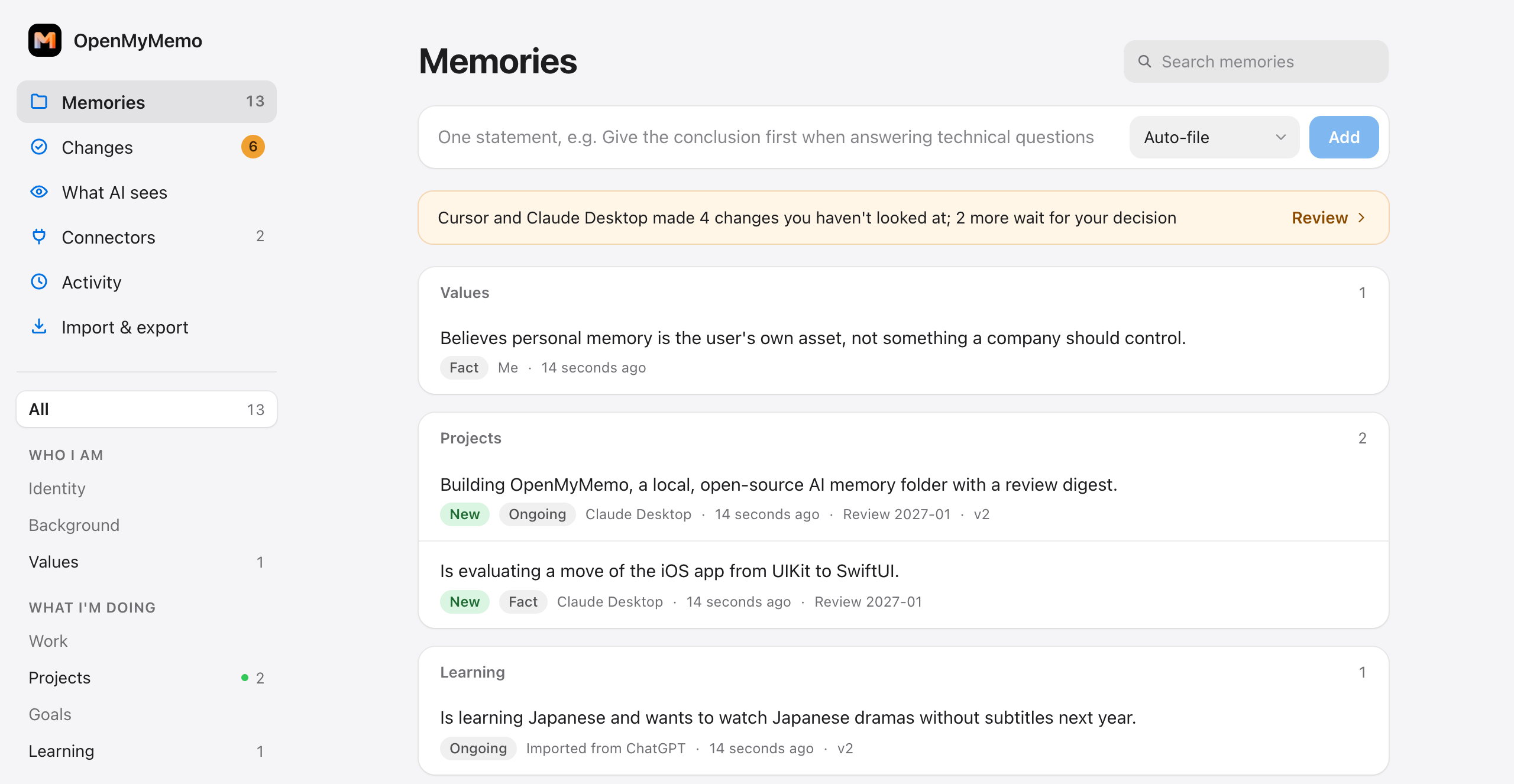
Claude, Codex, Cursor and any MCP app read the same memory and write what they learn. Switch models or use several at once, and nothing is lost between them.
Free and open source
OpenMyMemo keeps what AI assistants know about you in a folder you own. Claude, Codex, Cursor and other apps share it, so what you tell one the others know too. You see every change they make, with one click to undo.
Works with
How it works
Connect your AI apps once. From then on they start every conversation knowing you, and everything they learn goes into the same folder, where you can see it.
Claude, Codex, Cursor and any MCP app read the same memory and write what they learn. Switch models or use several at once, and nothing is lost between them.
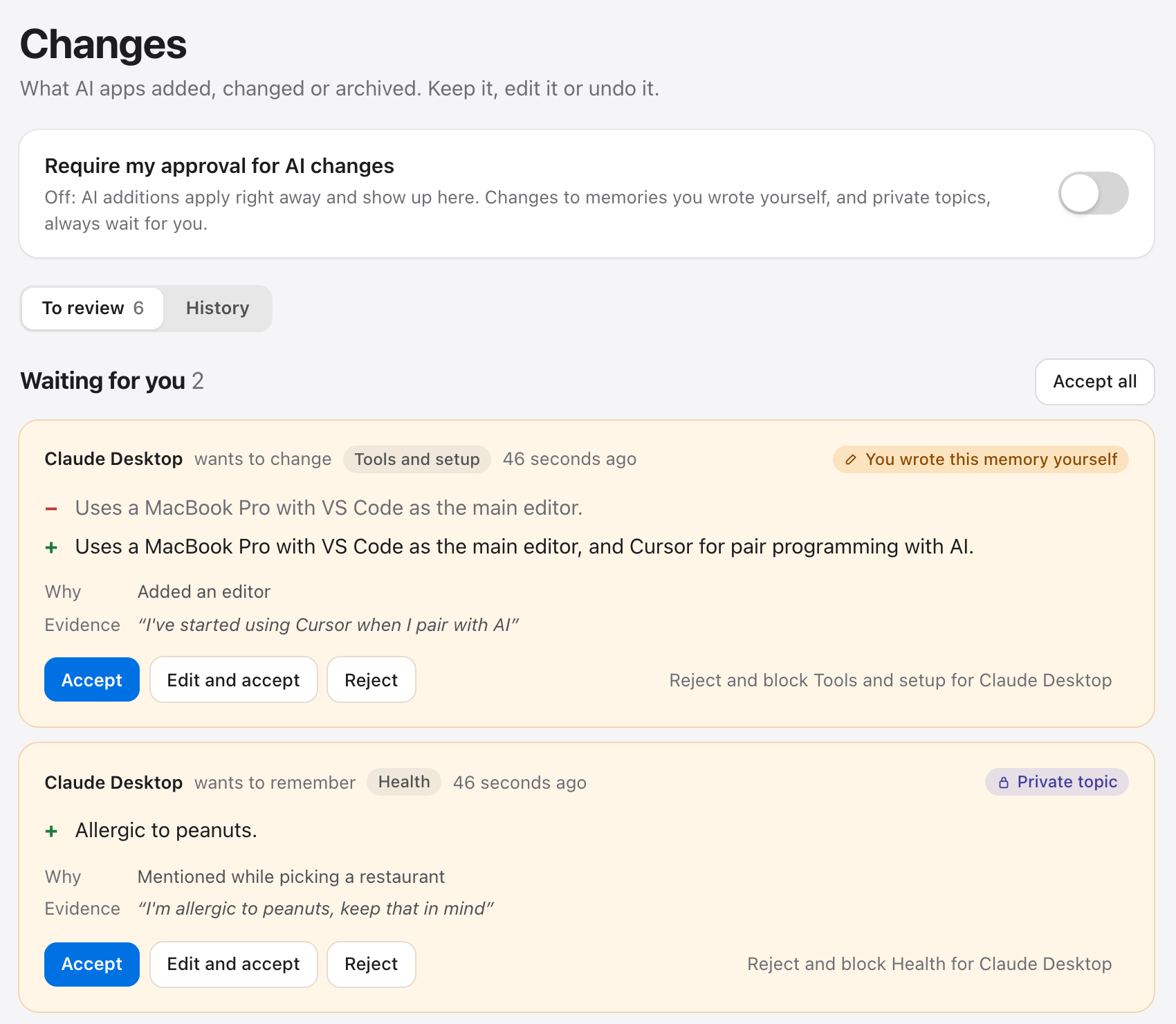
Additions land right away and show up in a digest. Changes to what you wrote yourself, and anything in a private topic, wait for you. Undo is one click.
The panel shows the exact text each AI receives, and which app read what. Health and finance stay hidden from every AI unless you say otherwise.
Markdown in a folder on your computer. Open it in any editor, keep it in iCloud, git or Obsidian, or export it for Claude, ChatGPT, as Markdown or JSON.
Changes
Why I built this
My OpenAI account was banned on October 2, 2026, with no warning and no specific explanation. Nearly four years of conversations, and everything ChatGPT had learned about me, went with the account. I had thought of that memory as mine. It wasn't.
OpenMyMemo is what I wish I'd had: my AI memory as a folder on my own computer. Any model can read it, I can see and undo every change a model makes, and no single company can take it away.
Your files
Each topic is a Markdown file, one memory per line. Edit it in any editor: a new line is a new memory, a deleted line is archived. Keep it in iCloud, git or an Obsidian vault.
~/OpenMyMemo/
├── memories/            # one file per topic
│   ├── work.md
│   ├── projects.md
│   ├── how-to-work-with-me.md
│   └── from-chatgpt.md  # what you imported
├── MEMORY.md            # what an AI sees
├── log.md               # what changed, by whom
└── connectors.yaml      # apps and their permissions
Privacy
No database, no Docker, no account, no API key. Just a program on your computer and a folder of text.
Your memory stays on your computer: MyMemo doesn't receive it. The server listens on 127.0.0.1 only.
Nothing to sign up for, no analytics. It goes online to download Python once, and for features you turn on yourself.
Health and finance are hidden from every AI. AI changes to a private topic always wait for you.
Every connected app has its own permissions. Make one read-only, trust another, or revoke it at any time.
Get started
Both use the same folder, panel and core, so you can switch or use both.
For everyone. No terminal, no config files, no Python to install.
For developers. Everything the app does is a command. Needs uv.
uv tool install openmymemo
openmymemo init
openmymemo connect claude-code
openmymemo serve        # the panel, at 127.0.0.1:8787
Or add the plugin to the app you already use:
With Codex, yes: the command line and the Codex built into the ChatGPT desktop app. ChatGPT chat and claude.ai on the web can only reach servers on the public internet, and OpenMyMemo stays on your computer, so they can't read it yet. You can still bring your ChatGPT memories over, in the app's first-run guide or with openmymemo import chatgpt.
Yes. OpenMyMemo is open source under the Apache 2.0 license. There is no account and nothing to pay.
The app is for Macs with Apple silicon for now. The command line and the plugins run wherever uv does and are tested on macOS and Linux.
Download the new disk image and drag OpenMyMemo to Applications again; your memory folder isn't touched. On the command line, uv tool upgrade openmymemo. What's new lists every release.
Your memory is a folder of Markdown files, so it stays yours. Open it in any editor, or export it for Claude or ChatGPT, as Markdown or as JSON.
Run openmymemo doctor. It checks the setup and says what to fix, without printing your memories. If that doesn't help, open an issue and paste its output.
MyMemo makes it, as an independent open-source project. It doesn't need a MyMemo account or any MyMemo service.